How to Set Up Meta Ads for an Online Store: Step by Step
A simple, step-by-step guide to setting up your first Meta Ads campaign for an online store, from accounts and tracking to launch day.
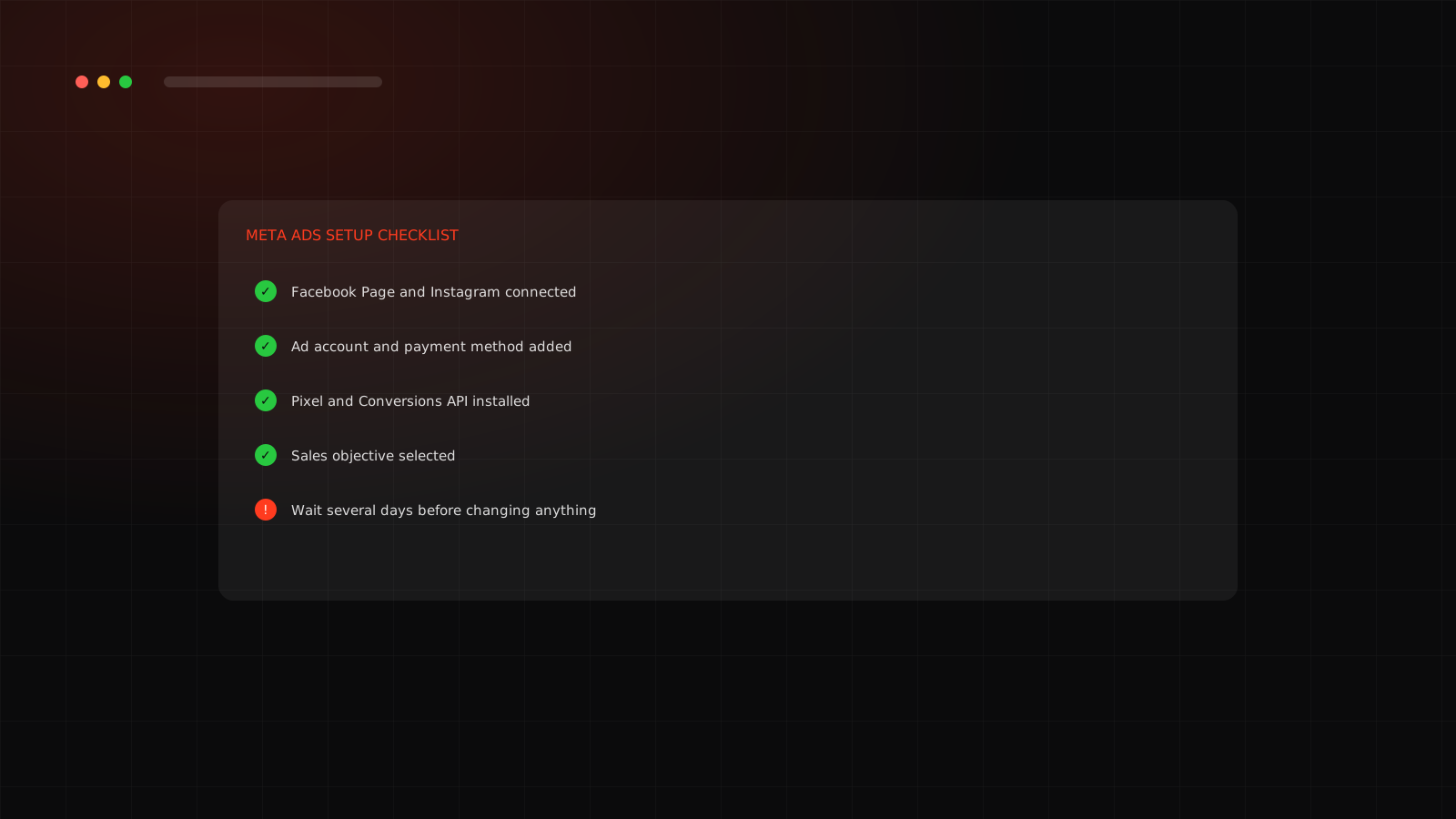
Before you start
You need an online store that can take payments, a Facebook Page for your brand and a payment method. Having product photos or a short video ready saves time. If your store is on Shopify, the setup is simpler, because Shopify connects to Meta for you.
The setup, step by step
Send people to the right page
Link the ad to the exact product or collection it shows, not your homepage. Every extra step loses buyers. Then open the link on your phone and buy something yourself to make sure checkout works. See our landing page checklist.
After you launch
New ads need time. Meta's delivery system learns from the first results, and changing things constantly restarts that learning. Leave the campaign alone for several days unless something is clearly broken, such as zero spend or a failed link. We explain this in the Meta Ads learning phase.
Problems you might hit
| Problem | Likely cause |
|---|---|
| Ad is not spending | Low budget, ad still in review, or payment issue |
| Clicks but no sales | Page, price or offer problem, or Pixel not firing |
| Ad rejected | Policy issue with text, image or landing page |
If an account gets restricted, read what to do when your Meta ad account is restricted. Want a team to run this for you? See our Meta Ads agency service in Surat.
Want us to set it up properly the first time?
We handle tracking, structure and launch so your first budget is not wasted.
Frequently asked questions
The accounts and tracking can be done in a few hours if your store is ready. Creating good creative usually takes longer than the technical setup.
Not always for a first campaign, but verified businesses have fewer limits and fewer problems later. It is worth doing early.
Use Ads Manager. Boosted posts offer less control and are poor at optimizing for sales.
That your Pixel fires a Purchase event, your link goes to the right page on mobile, and the ad text matches the page.