Meta Pixel and Conversions API Setup for Shopify: A Simple Guide
Set up the Meta Pixel and Conversions API on Shopify so your Meta Ads know who really bought, without double-counting sales.
What the Pixel and the Conversions API are
The Meta Pixel is a small piece of code that runs in your customer's browser and tells Meta about actions like viewing a product or buying. The Conversions API, or CAPI, sends the same information from your server to Meta directly. Browsers and privacy tools can block the Pixel, so the server route makes your data more complete.
Better data matters because Meta uses it to decide who to show your ads to. If it cannot see your sales, it cannot find more buyers.
Setting it up on Shopify
The events that matter for a store
| Event | When it fires |
|---|---|
| ViewContent | Someone views a product |
| AddToCart | Someone adds a product to the cart |
| InitiateCheckout | Someone starts checkout |
| Purchase | Someone completes an order, with value and currency |
How deduplication works
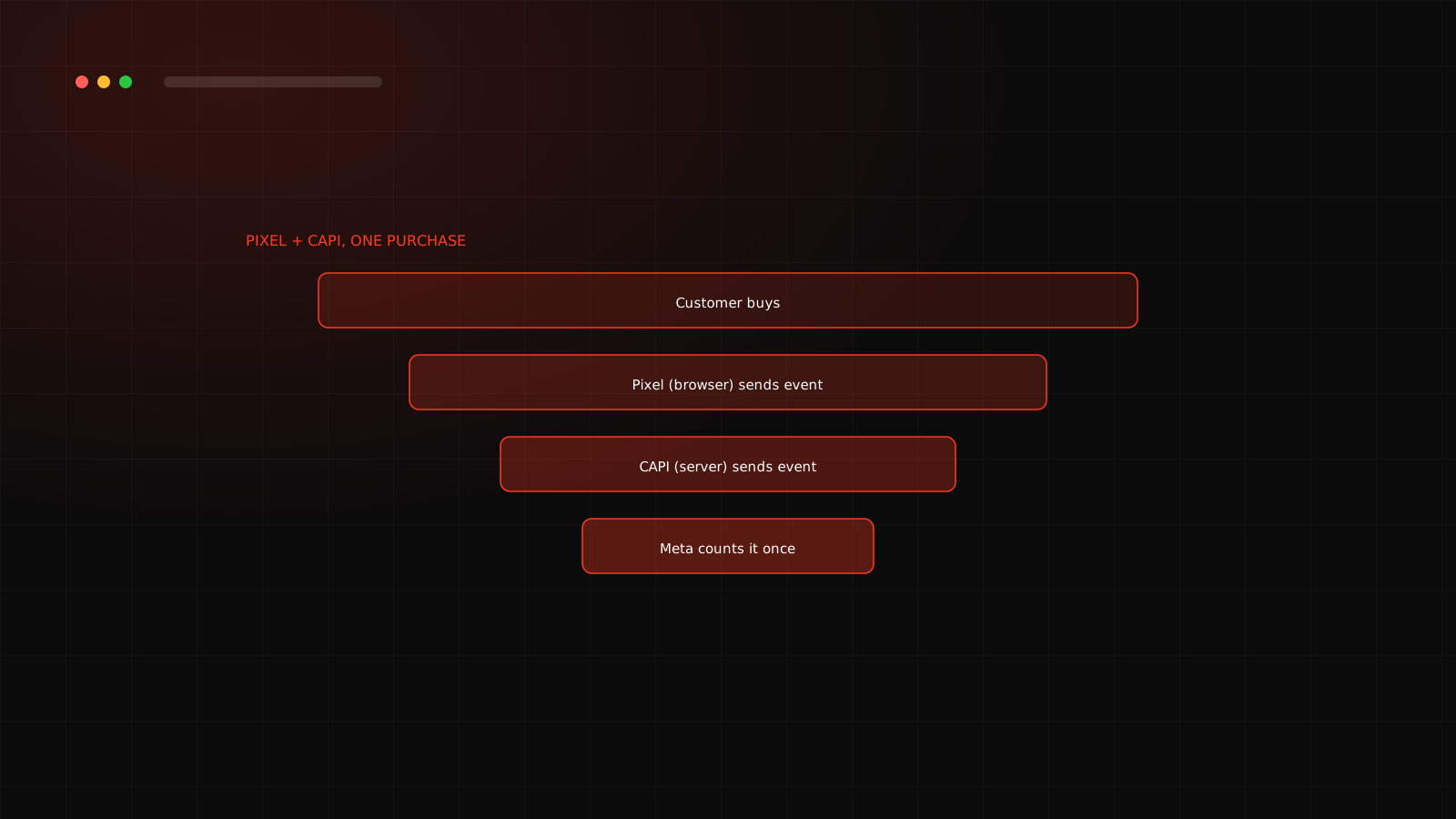
Meta treats a Pixel event and a server event as the same action when their event name and event ID match, and it matches events received within about 48 hours of each other. The Shopify integration handles this for standard events. If you build a custom setup, you must send the same event ID from both sides. Our guide on fixing Meta Ads attribution goes deeper.
How to test it
Once tracking is clean, you can build campaigns with confidence. Continue with how to set up Meta Ads for an online store. Tracking trouble? Our Meta Ads team in Surat audits it for free.
Not sure your tracking is right?
A broken Pixel quietly wastes budget. We check yours in the free audit.
Frequently asked questions
Using both is the recommended setup. Browser tracking can miss events because of privacy settings and ad blockers, and the server connection fills the gap.
When the Pixel and CAPI both report the same purchase, Meta matches them using the same event name and event ID so the purchase is counted once.
Use Test Events in Events Manager. Make a test purchase and confirm each event appears once and shows both browser and server sources.
A score in Events Manager that shows how well Meta can match your events to people. Sending more customer information, such as hashed email and phone, generally helps.